
Browser-based label, PDF & seller tools
Crop shipping labels without manual cutting.
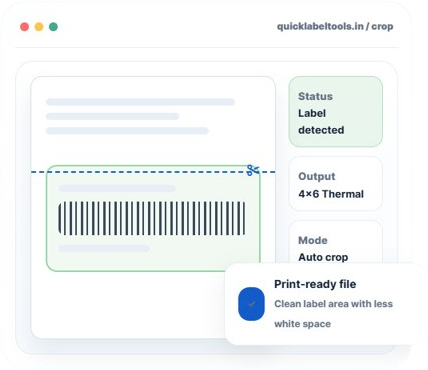
Free browser-based tool to separate and crop shipping labels for Meesho, Flipkart, Amazon, Snapdeal and GlowRoad. No login, no file uploads — just drop your PDF and download a print-ready label.
5 platforms
4×6
100% Free
Tool Library
One dashboard for daily seller tasks.
Pick your marketplace and get a print-ready label in seconds — every tool runs free, with no sign-up.
F
Flipkart Label Cropper
Crop labels and invoices apart, ready for thermal printing in seconds.
Open →
M
Meesho Label Cropper
Remove unwanted space and get a clean label, ready for fast packing.
Open →
A
Amazon Label Cropper
Crop Amazon shipping labels into a clean, print-ready 4×6 file.
Open →
S
Snapdeal Label Cropper
Auto-crop marketplace labels and reduce manual trimming time.
Open →
G
GlowRoad Label Cropper
Crop GlowRoad shipping labels and prepare clean, print-ready files.
Open →
↔
Merge PDF
Combine labels, invoices, and other PDFs into one ordered file.
Open →
⌗
Custom PDF Crop
Draw your own crop area on any PDF — works for more than just labels.
Open →
₹
GST Calculator
Calculate inclusive/exclusive GST with CGST, SGST, and IGST split.
Launching soon
%
Listing Price Calculator
Check cost, shipping, commission, profit margin, and safe selling price.
Launching soon
F
Flipkart Label Cropper
Crop labels and invoices apart, ready for thermal printing in seconds.
Open →
M
Meesho Label Cropper
Remove unwanted space and get a clean label, ready for fast packing.
Open →
A
Amazon Label Cropper
Crop Amazon shipping labels into a clean, print-ready 4×6 file.
Open →
S
Snapdeal Label Cropper
Auto-crop marketplace labels and reduce manual trimming time.
Open →
G
GlowRoad Label Cropper
Crop GlowRoad shipping labels and prepare clean, print-ready files.
Open →
Meesho Label Crop
Label + invoice ko alag karo, SKU ke saath sort karo.
Open →
Flipkart Label Crop
4×6 thermal label crop with batch processing support.
Open →
Amazon Label Crop
Seller Central PDFs se label crop, SKU print karo.
Open →
Snapdeal Label Crop
Snapdeal format ke labels turant crop karo.
Open →
GlowRoad Label Crop
GlowRoad seller labels ko print-ready banao.
Open →
Crop Any PDF
Manually select area — kisi bhi PDF ke liye works karta hai.
Open →
TRY It Now
Upload, crop, download — that's it.
Switch between tools below and see exactly how each one works before you upload a file.
TOOL EMBED AREA — LEAVE EMPTY
Lorem ipsum dolor sit amet, consectetur adipiscing elit. Ut elit tellus, luctus nec ullamcorper mattis, pulvinar dapibus leo.
Simple Workflow
From PDF to printed label in three steps.
1
Upload your PDF
Drag in the shipping label PDF you downloaded from your seller panel.
2
Choose label or invoice
Pick a single 4×6 label, or get the label and invoice separated.
3
Download & print
Get a clean, print-ready file for your thermal or regular printer.
FAQ
Common questions from sellers.
Is QuickLabelTools really free?
Yes — every tool on this site is 100% free, with no login, signup, or hidden limits.
Can I get the invoice separately from the label?
Yes — most tools let you split the label and invoice into two separate, print-ready files.
Does my PDF get uploaded anywhere?
No. All cropping and processing happens inside your own browser. Your files never leave your device or touch our servers.
Which marketplaces are supported?
Meesho, Flipkart, Amazon, Snapdeal, and GlowRoad today, with more platforms and tools being added regularly.